
Delpax
Delpax.com.tr
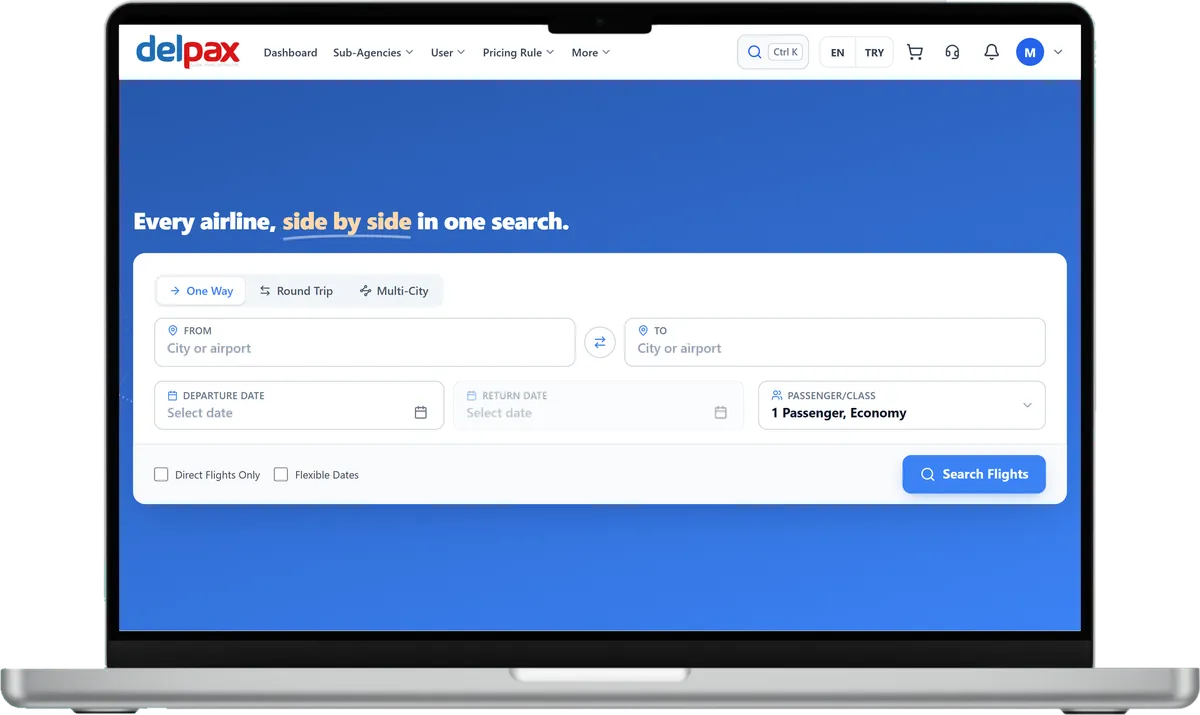
Delpax's B2B panel for travel agencies, where flights, hotels and transfers are searched from a single screen.
Visit the siteB2B hotel booking software that combines hotel inventory from connected suppliers with your own contracted hotels on the same search screen. Your sub-agency network then sells those rooms at the price you set.
B2B Travel is developed by Diji Tech.


Hotels from connected suppliers are priced in the same result list as your own contracted hotels.
The supplier's raw rate is kept, and every agency is shown a price that has passed through its own rules.
Manage room counts, stop-sale days and release periods day by day on your own hotels.
Developed by Diji Tech, this B2B hotel booking software gathers inventory from several hotel suppliers and your own contracted hotels into one search and sales screen. Staff at a sub-agency run searches for their customers; the selling price is built by rules applied in turn along the agency hierarchy, and the amount is deducted from the agency's current account. For your contracted hotels, room types, daily rates, allotment, stop-sale and cancellation terms are managed in the same hotel agency system. Each booking passes through prebooking, payment and confirmation, and every step leaves a record you can review later.

A search takes the region, the arrival and departure dates, the number of adults and children in each room (with the children's ages) and the guest's nationality; the summary bar at the top lets you edit the search in one click. A hotel card shows stars, district, distance to the centre, board, the best-value room, the last free-cancellation day if there is one, the total price for that stay and party, and what it averages per night.

The "See on map" link on a card shows the hotel on the map. The hotels found appear as clusters and price labels, the pop-up holds the photo, stars, board and total price, and the filters stay next to the map. You can sort the list by recommended order, price, guest score, star rating or hotel name.

Switch the results between card, list, compact and table layouts; in the table, hotel, best-value room, board, cancellation terms and price fit on a single row. The location filter lists districts and the neighbourhoods inside them with their hotel counts. You can narrow the results by property type, theme, amenities, board, stars, guest score, price range, cancellation flexibility, room size and distance to the centre.

The "Create offer" option switches the result list into selection mode. You tick the hotels and, for each one, choose from the list the room that goes into the offer, together with its board and cancellation terms; your picks collect in the bar at the bottom of the screen.

Clicking a hotel opens its page in a separate tab, showing the address, dates, number of nights, starting price and a link back to the results. Each room type has its own card listing the board options with their prices, and prices include all taxes. The "Details" link opens the cancellation policy: the date free cancellation ends and the penalty that applies afterwards.
The main administrator, GSAs and agencies use the same system, each with an account of their own. As the supplier's room rate moves along this chain, every level puts its own rule on top.
Creates agency accounts and picks the Standard or GSA type, DMC rights, balance and which modules and menus are enabled. A new account starts inactive and is switched on once it is ready.
Opens the sub-agencies that report to it, manages their balances and defines pricing rules for their hotel sales.
Reports to the main administrator or to a GSA. Logs in with its own users to search hotels, sell rooms and add its own pricing rule. With DMC rights it also manages its own hotel inventory, while the rules and amounts of higher levels remain invisible to it.
Balances, account movements, invoices and reports for your hotel sales sit together in the same panel.
Balances are given to agencies by the main administrator and GSAs; with the wallet screen enabled, agencies can also load balance from their own screen.
Agencies follow the movements on their current account in the panel; if the accounting system allows it, a statement is available too.
Sales and commission invoices are available in the panel.
Sales, profitability and commission reports are ready in the panel.












Delpax
Delpax's B2B panel for travel agencies, where flights, hotels and transfers are searched from a single screen.
Visit the siteYes. You enter the hotel details, room types, daily rates and allotment in the panel. Once the hotel is active, it appears in the same search results as the supplier hotels.
It won't. The suppliers' hotel codes are linked to one shared hotel identity; the lower-priced offer comes first and any missing content is filled in from the other source.
Yes. The result is stored at the supplier's raw rate, and the pricing rule is applied according to the agency viewing it. You can define rules by supplier or by country.
Each room keeps a daily room count, a minimum stay and a release period. Days you close with stop-sale do not go on sale in the search.
Hotelbeds, Paximum, RateHawk, Travelrobot, WebBeds (DOTW), GoGlobal and Juniper are set up in the system. Your own contracted inventory runs as a separate source. You can reach our other modules from the B2B travel agency software page.
The fee is worked out from the number of suppliers to connect, the volume of your contracted hotels and how many levels your agency network has. We do not work from a fixed price list; we define the scope together with you.
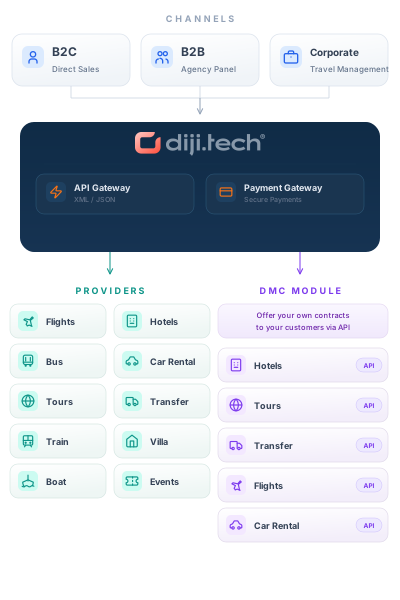
This module runs on the B2B Travel B2B travel agency software stack; add any of the modules below to the same panel and open them to your sub-agents on a single account.
Plan your supplier connections and contracted hotels together with our team. Get in touch for a free demo and a quote tailored to you.